
Everything here
ships today.
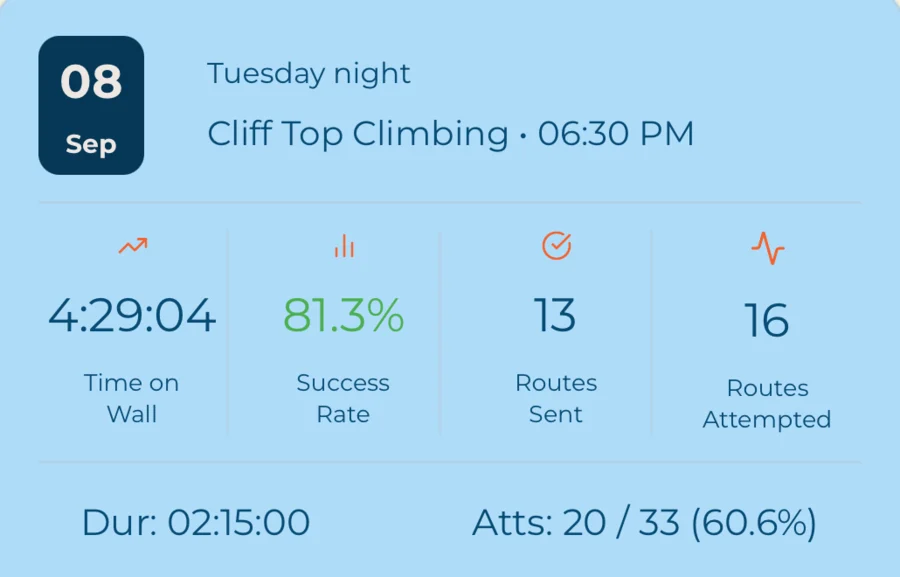
Craggle is a small app that does one thing thoroughly: it takes the two hours you spent at the gym, with whoever was there, and turns them into something worth keeping. This is the honest list — nothing on this page is coming soon.

The session is the unit.
Not the send. Not the route. The two hours you were there, and everyone who was there with you. A session is created empty and fills up as people arrive — which is the only model that survives contact with a real Tuesday night.
- Start a session at a venue, or Climb without gym and log climbs anywhere
- Join an in-progress session with a code or a QR scan
- Add climbers at any point — the roster is never fixed up front
- Guest climbers by name alone; email optional
- Anyone in the session can log a climb for a guest
- Session notes, session naming, and a shareable session link
Three ways to win the night.
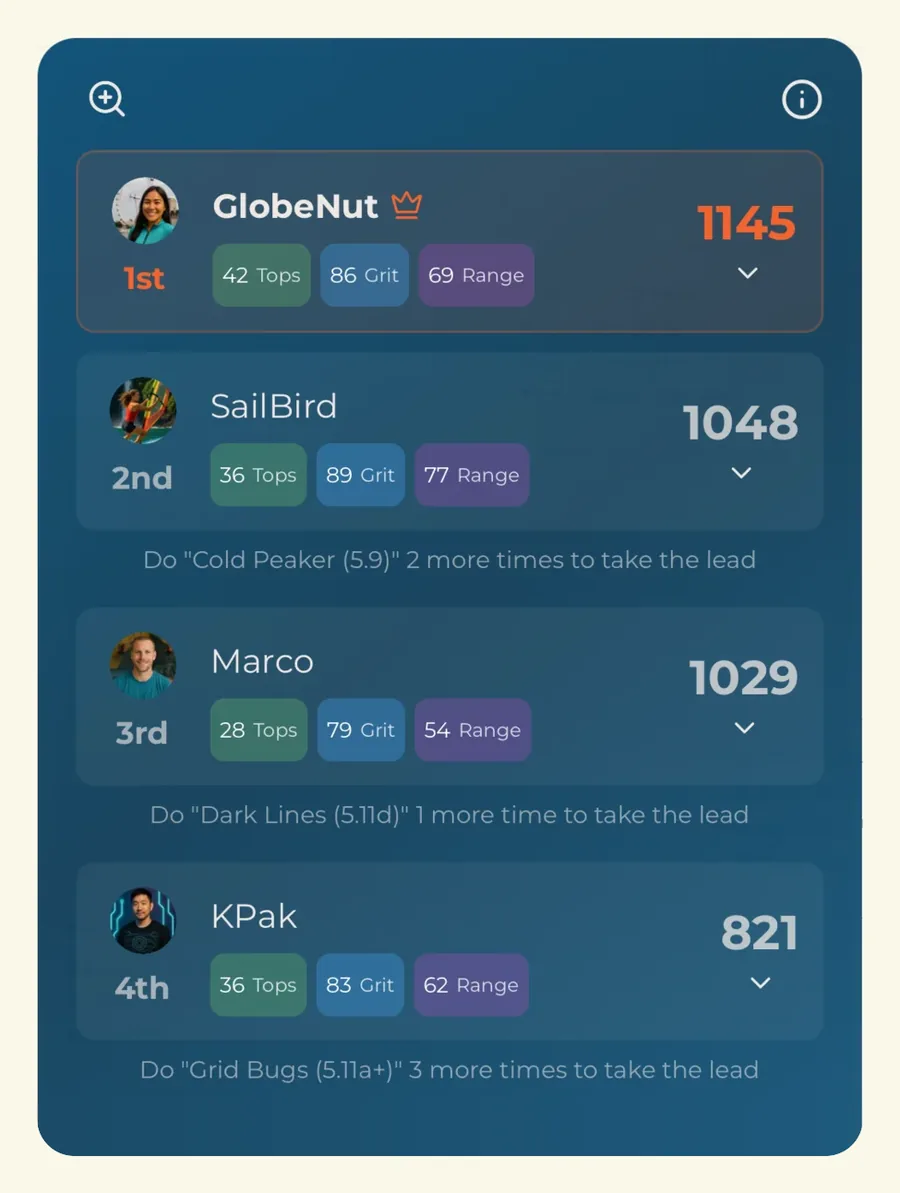
A single score decided by hardest send makes a mixed-ability group awkward, and everyone knows it. Craggle scores each session three separate ways, so the strongest climber, the most stubborn one, and the one who touched everything each have a number of their own.
- What you sent
- Clean climbs, weighted by difficulty.
- What it cost you
- Time on the wall and effort spent.
- How much you covered
- Volume and spread across routes.
Climbing alone? You still get all three, on the same scale as every other session you log.
Your crew is a list.
Not a commitment.
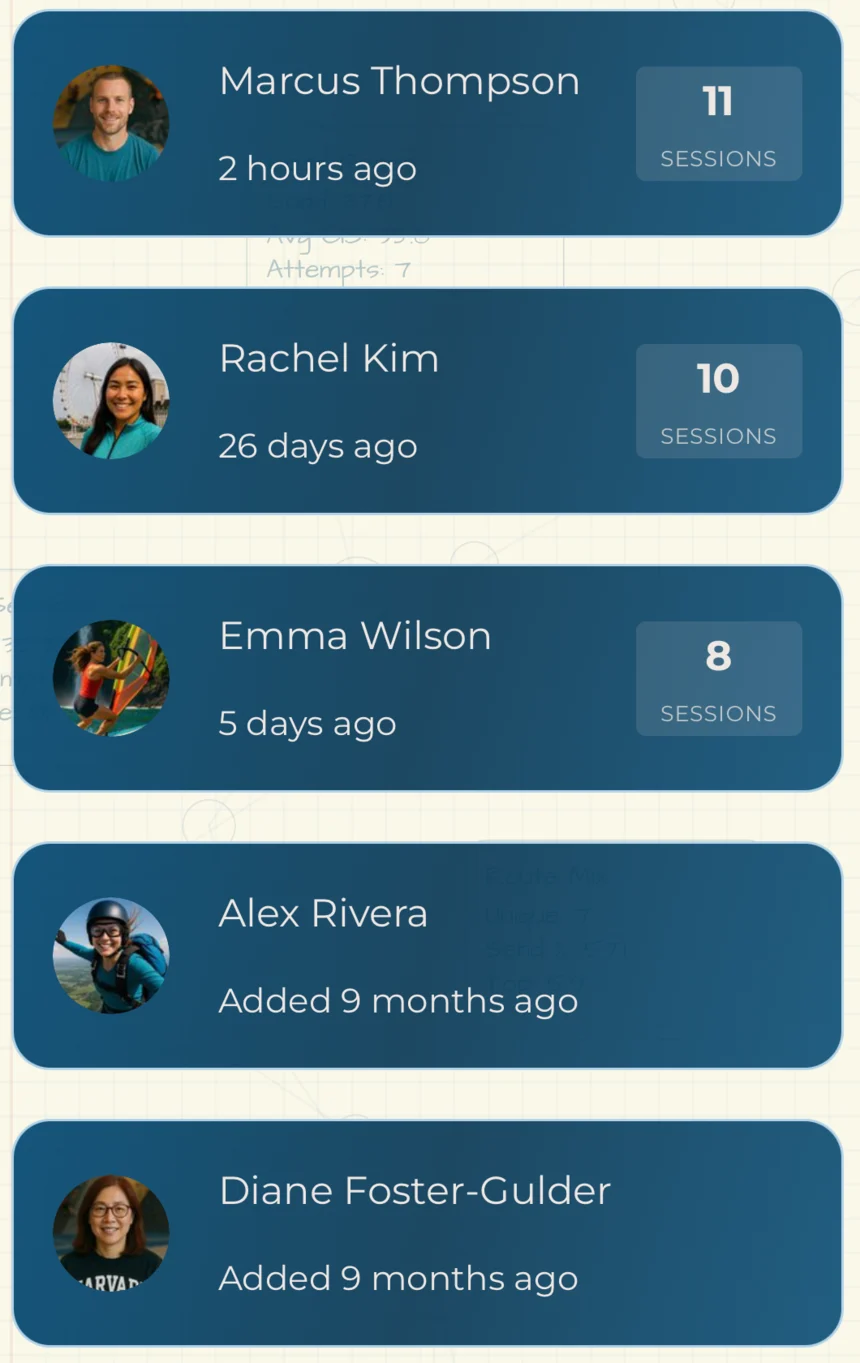
The people you climb with live in your crew list, and that’s all it is — a list to pull from. There’s no group to create, no membership to keep current, and nothing that breaks when tonight’s three are different from last week’s four.
And the friend who doesn’t have Craggle isn’t a second-class citizen: guests get logged, ranked, and emailed a summary of their own night.
- Session leaderboard scored three ways — Tops, Grit, Range
- Guests are ranked alongside everyone else
- Crew list with invites, requests, and search
- Crew-visible project summaries, plus a public projects list
- Guest session summaries by email once the session ends
- Share a session recap card wherever you like
Effort, not just outcomes.
Most climbing data is a list of things that went well. The interesting part is usually the rest of it — how long you were on the wall, how hard you were working, how many goes it took before it went.
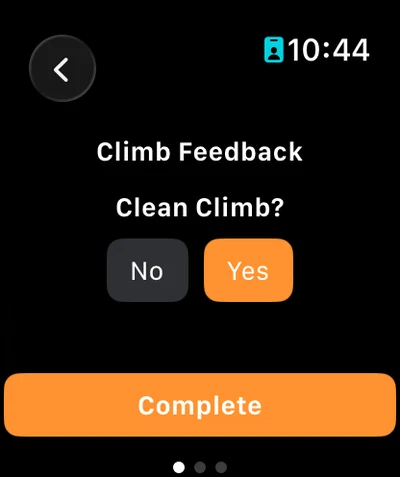
Two questions per climb: how many goes, and was it clean — no resets, restarts, or full-weight rests.
Effort scoring built from time on wall, difficulty, and heart rate. A training-load number, not a grade-chasing one.
Per-session load so you can see how the week actually stacked up.
Intensity over time, on the home screen and on every session card.
Two hours at the gym and forty minutes on the wall are different facts. Craggle keeps both.
Mark a route as a project and the attempt count follows it across sessions.
The best place to log a climb doesn’t have to be your phone.
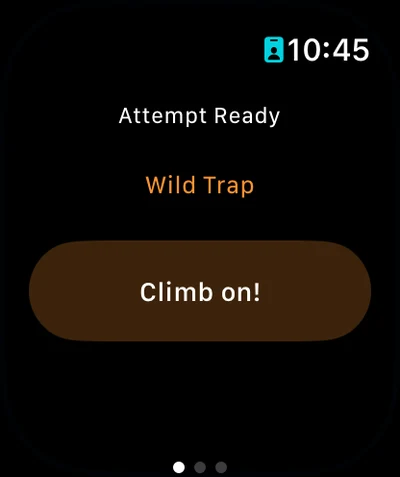
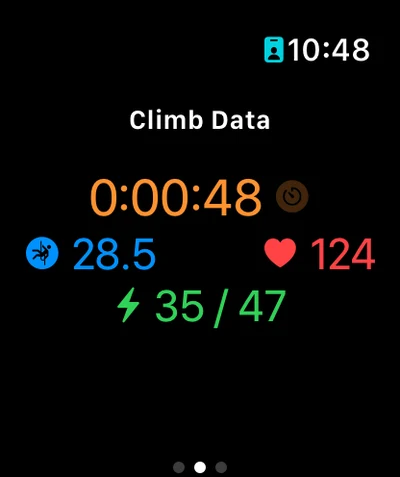
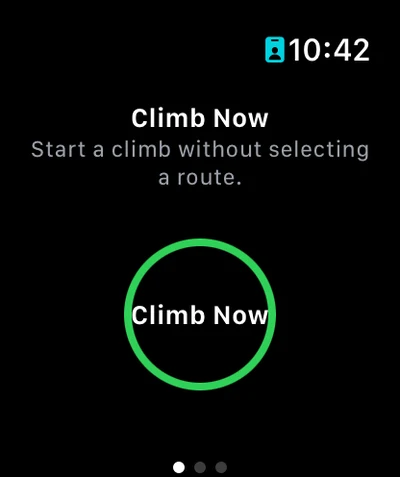
Your phone’s in a cubby. Craggle’s watch app starts a climb from your wrist — Climb Now, even without picking a route first — and finishes it with the attempt count and the clean-climb answer. The session itself stays on the phone; the watch handles the climbs.
- Start a climb from the wrist with Climb Now — no route needed
- Finish it with the attempt count and a clean-climb answer
- Heart rate, altitude, and calories from HealthKit
- Auto-calculated ascent and descent per climb
- Finishes its workout automatically when the phone ends the session
- Export the workout on to Strava
Pick the route by pointing at it.
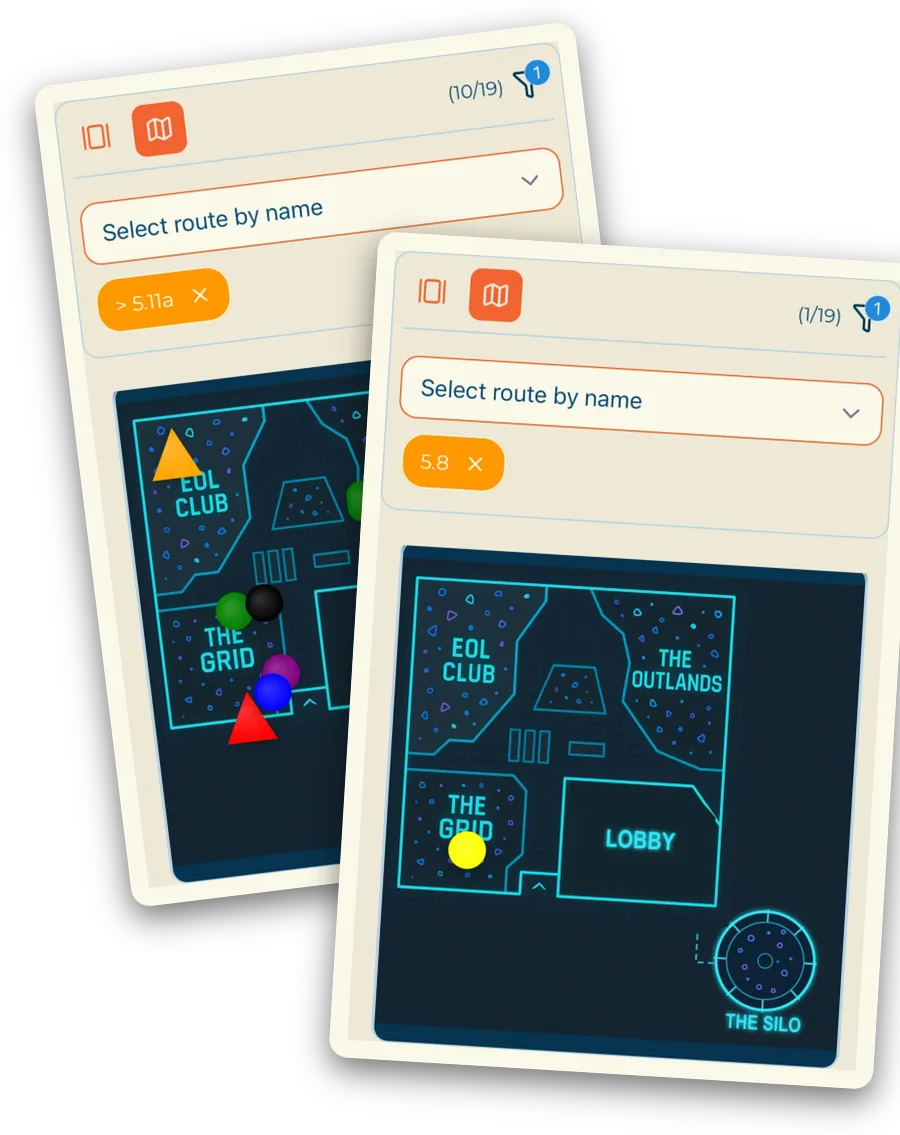
Where a gym has loaded a floorplan, Craggle turns it into a tap-target route picker — no scrolling a list, no arguing about which “red V4” anyone means. Everywhere else, there’s a searchable gallery with photos.
Filter by grade and the wall filters with it. Same nineteen routes in both shots: 5.11a and up leaves ten markers standing, 5.8 leaves one.
- Route gallery with search, images, and grade filtering
- Floorplan-aware routes — tap where the route lives on the wall
- In-image setter annotation on route photos
- Add a route mid-session if the setter missed one
- Route media: a main image plus two more angles
- V-scale, 5.x, colour systems, and custom rating systems
The small stuff that adds up.
Not here yet: an Android build (it exists, it isn’t listed), push notifications, and gym challenges. We’d rather you find that out now than on day three.
There’s a whole layer for the people who set.
Route management with in-image setter notes, floorplan uploads with per-route markers, a venue admin dashboard, member messaging, and route-level analytics — plus the Community Belay Partner Program. Commercial gyms, university and college walls, community walls.
Try it on a Tuesday.
Start a session at your next gym visit and see whether the group actually uses it. That’s the only test that matters.