
One Tuesday night,
start to scoreboard.
Three of you made it this week. Here’s every tap between walking in the door and the summary that lands afterwards.
Whoever gets there first starts it.
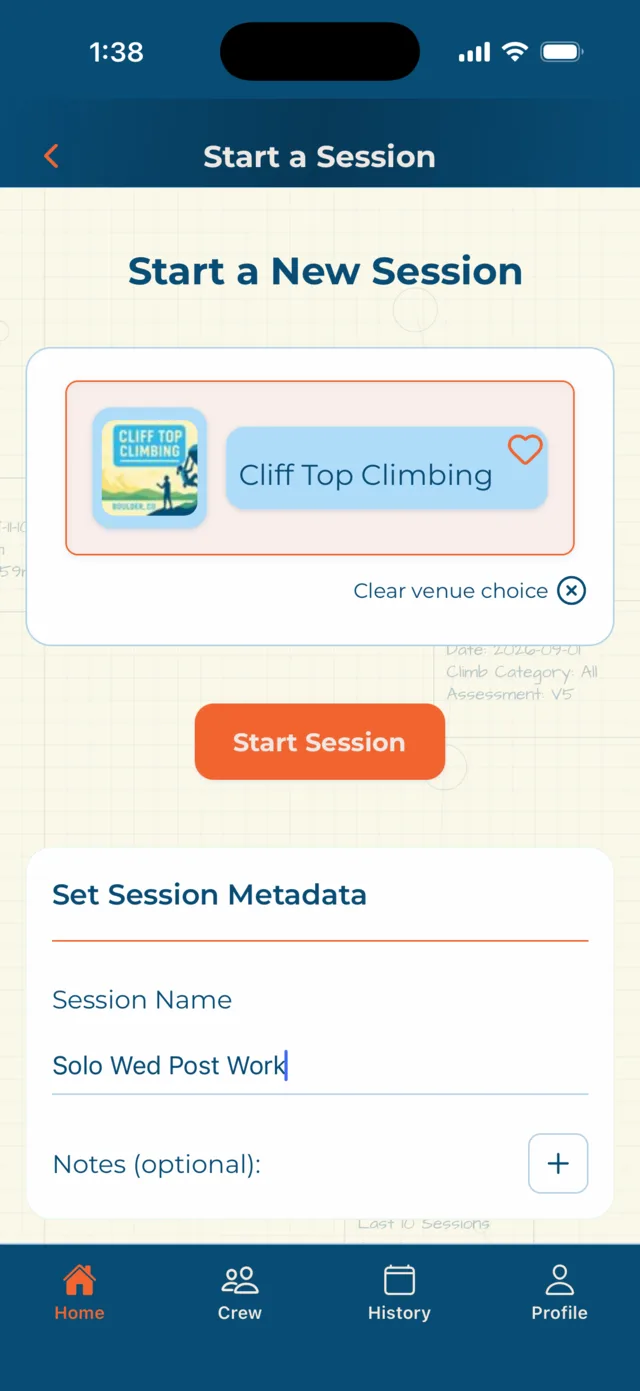
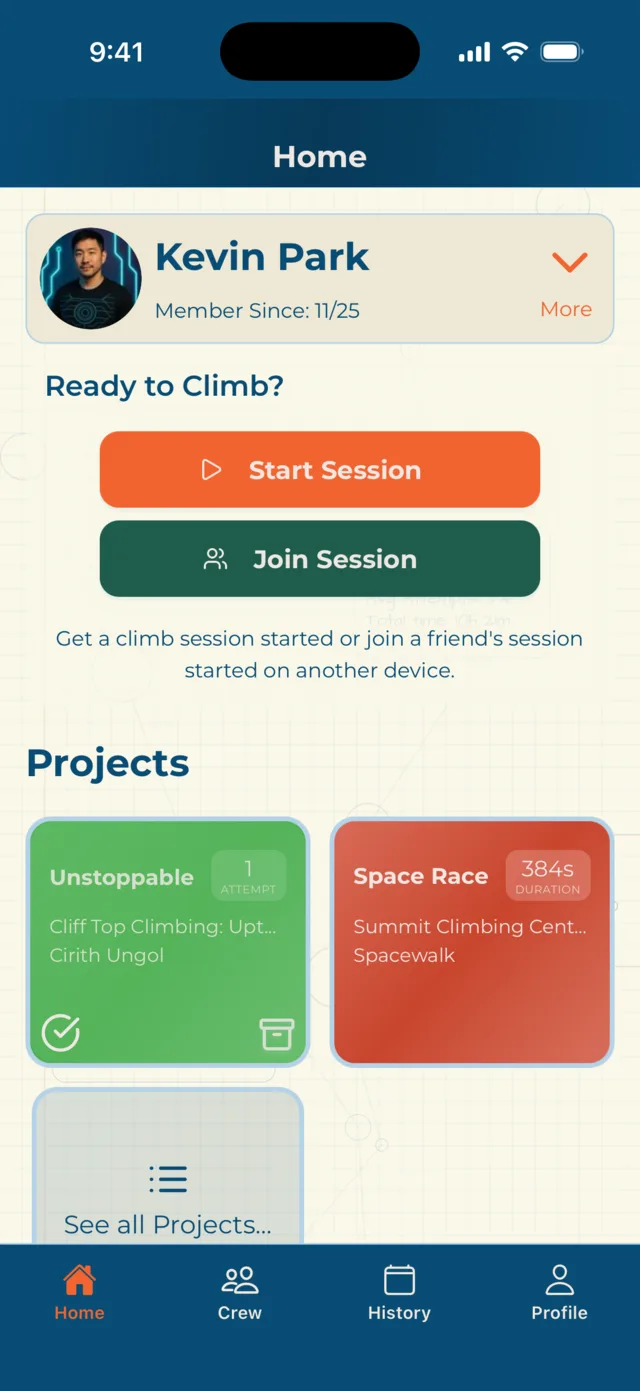
Open Craggle and the home screen is already asking. Pick your gym from the venue list — nearby venues, your favourites, or the map — give the session a name if you feel like it, and hit Start Session.
- → Nearby venues, favourites, or search the map
- → No gym? Climb without gym and log climbs anywhere
- → Climbing somewhere unlisted? Save a new venue
- → Wearing a watch? Craggle checks it’s ready before you begin
Everyone else joins.
Nobody sets up a group.
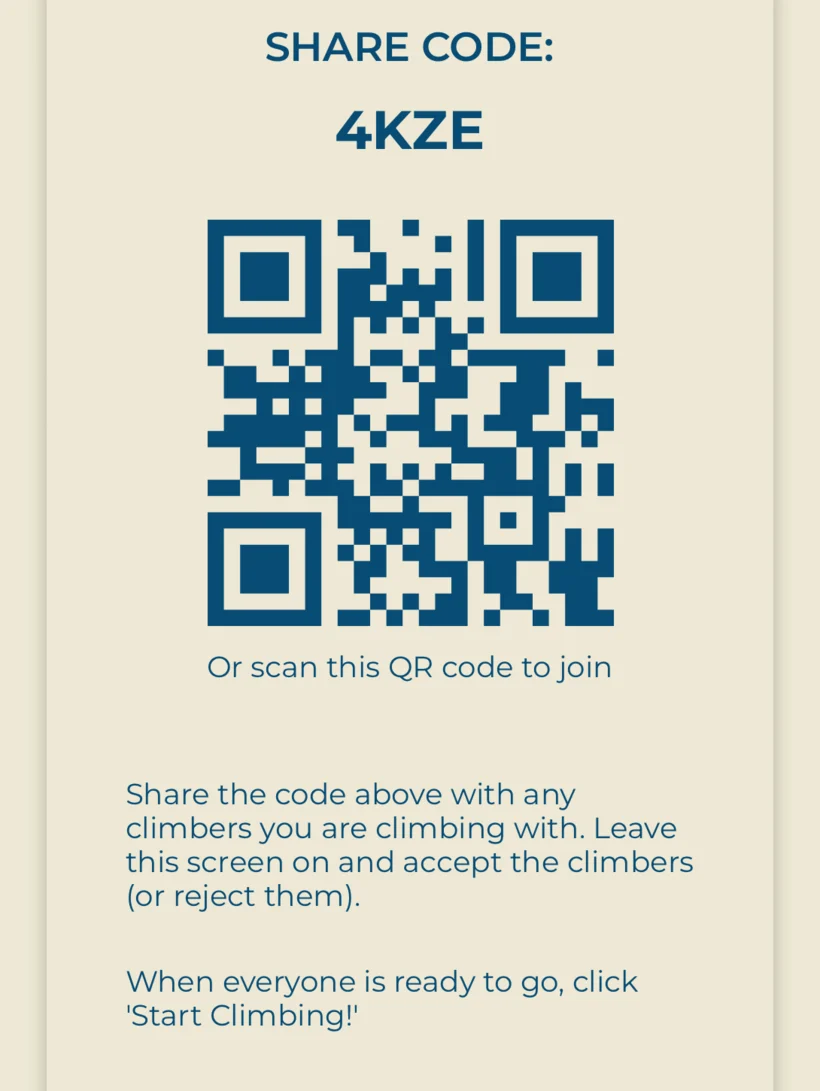
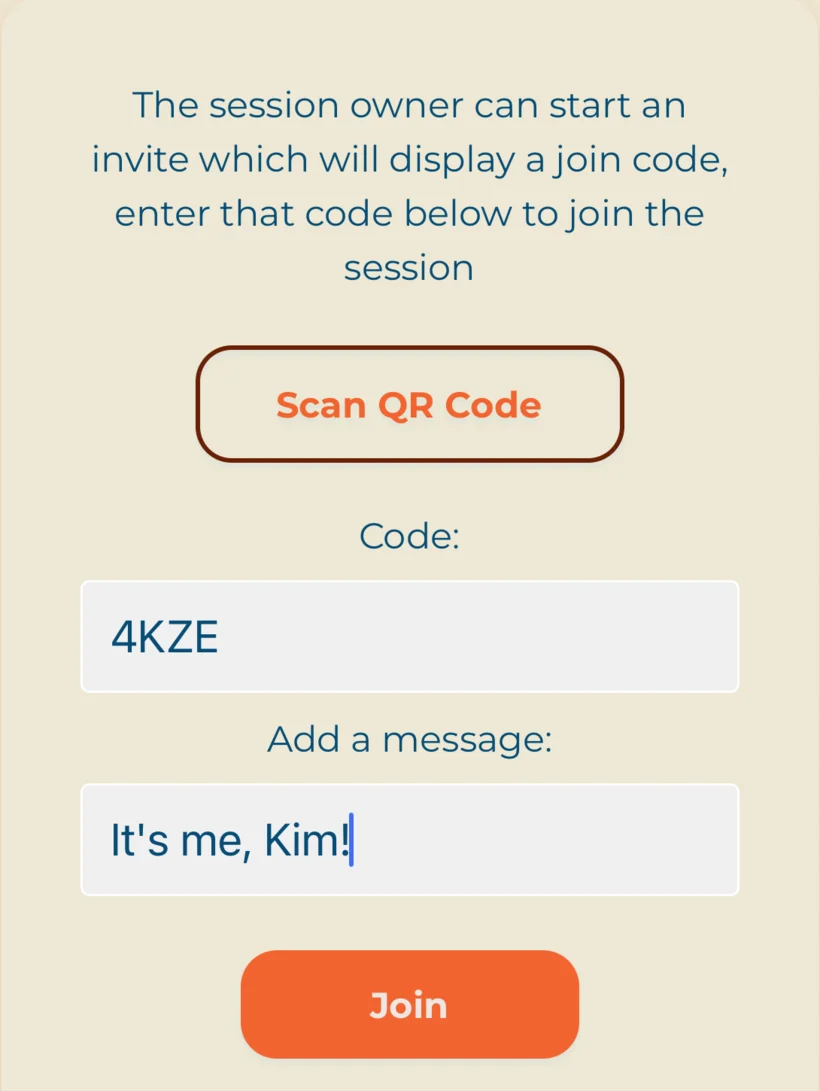
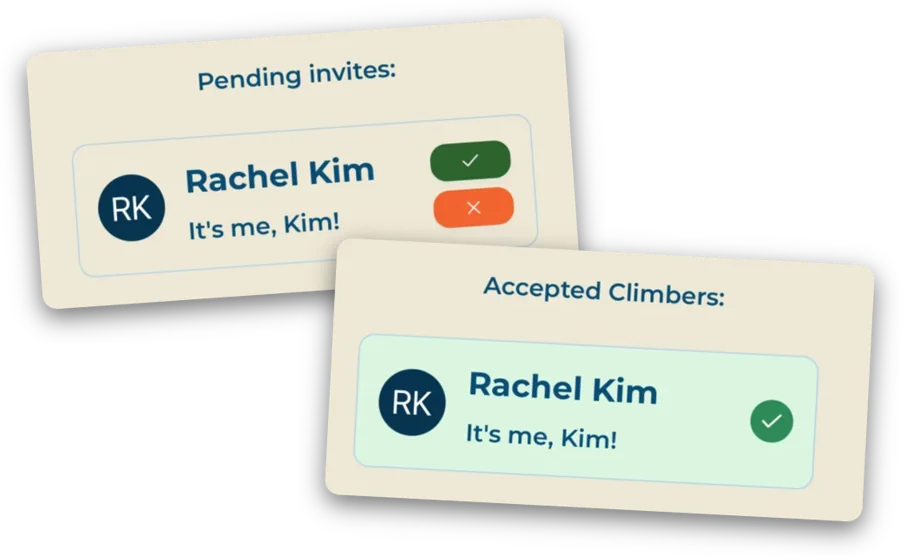
Climbers get added after the session is live, which is the whole point — you don’t have to know who’s coming. Show the join code, they scan or type it and send a message with the request, you tap the tick, and they’re in on their own phone, logging their own climbs.
- → A four-character code, or a QR they scan
- → Requests land on your phone — you accept or reject each one
- → Or search your crew and add them directly
- → Someone turns up at 8pm? Add them at 8pm
- → No app at all? Next step
The friend without Craggle gets added with a name — that’s the only required field. They climb, they get logged, they land on the scoreboard with everyone else. Add their email and a summary reaches them once the session ends.
Two questions per climb.
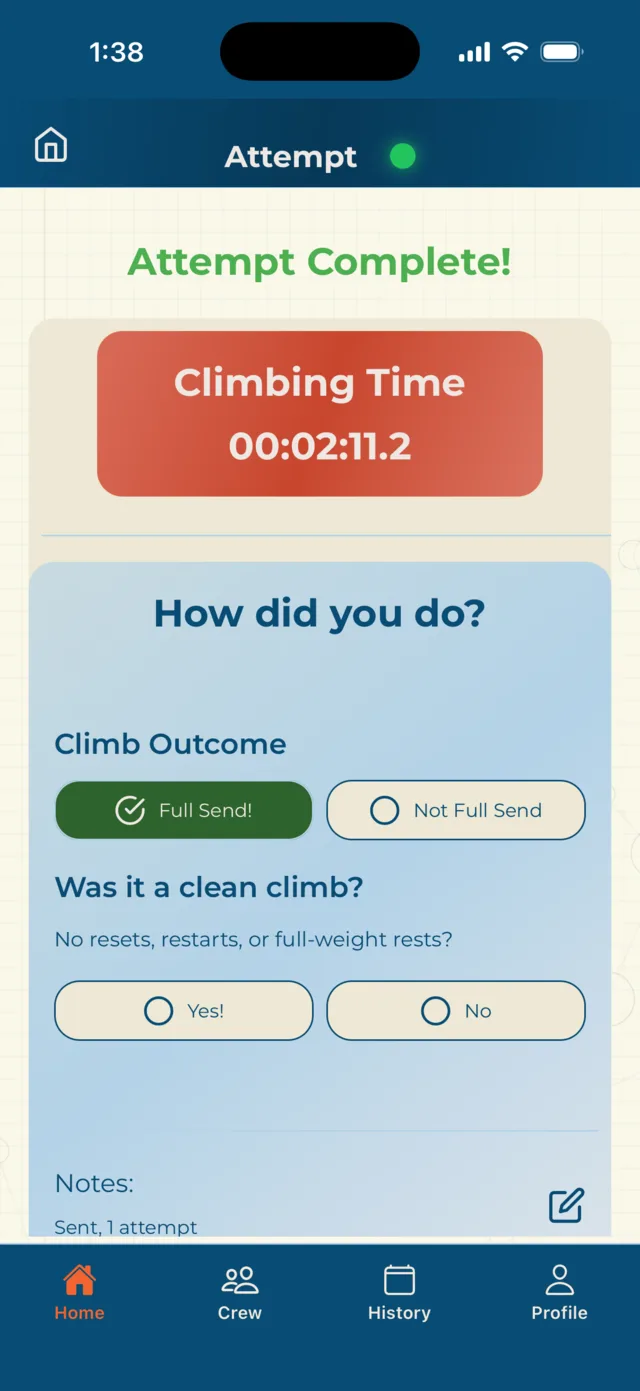
Tap Start Climbing!, choose your route, get on the wall. When you come down, Craggle asks how many attempts it took and whether it was clean. That’s it — you’re back on the mat.
- → Pick the route from the gallery, or tap it on the floorplan
- → Forgot to pick one? Start anyway and assign it after
- → Attempts count whether or not the send comes
- → Anyone in the session can log for a guest
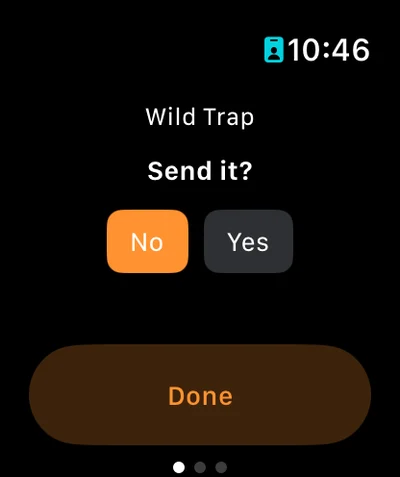
With an Apple Watch you can start and finish the climb without touching your phone — Climb Now, Climb On!, then Send it? and the attempt count when you’re down. Heart rate, altitude, and calories come across from HealthKit. The session itself stays on the phone.
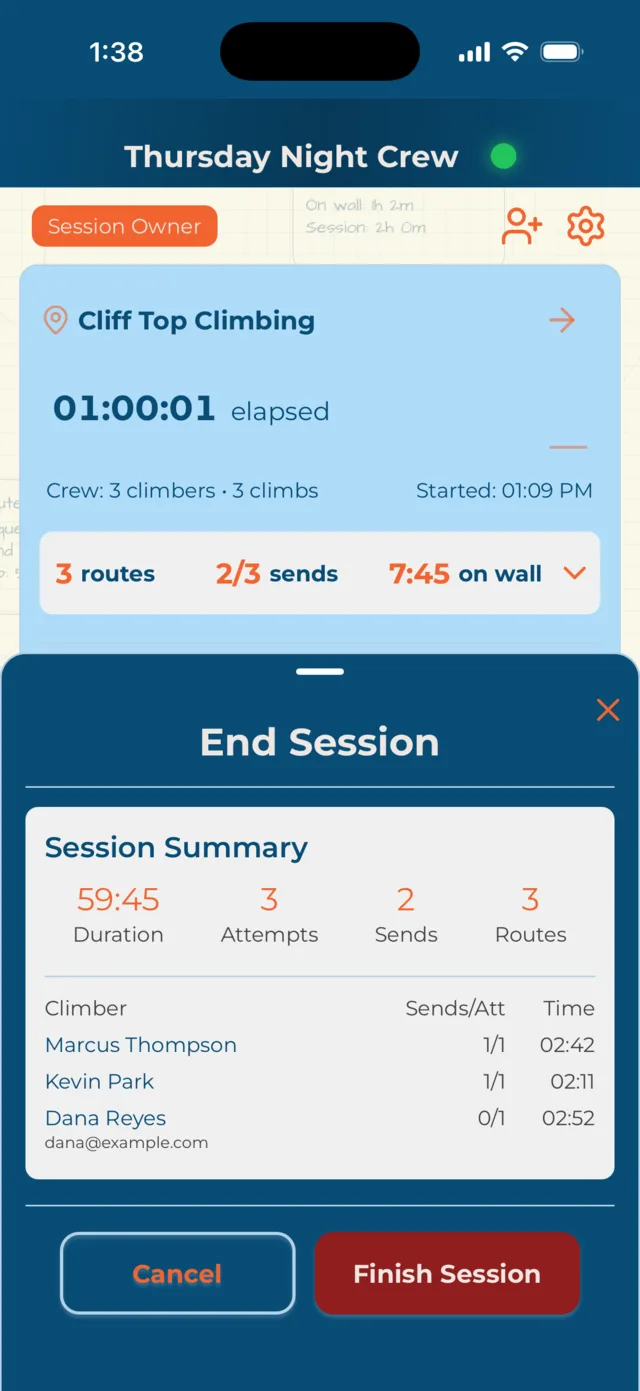
Finish when you’re finished.
End Session closes it for everyone. Craggle checks whether your guests have email addresses first — if one’s missing you can add it there and then, or skip it.
- → Leave a session note while it’s still fresh
- → Guests with an email get their own summary
- → A paired watch finishes its workout automatically
- → Workouts can be exported on to Strava
Everyone lands on one scoreboard.
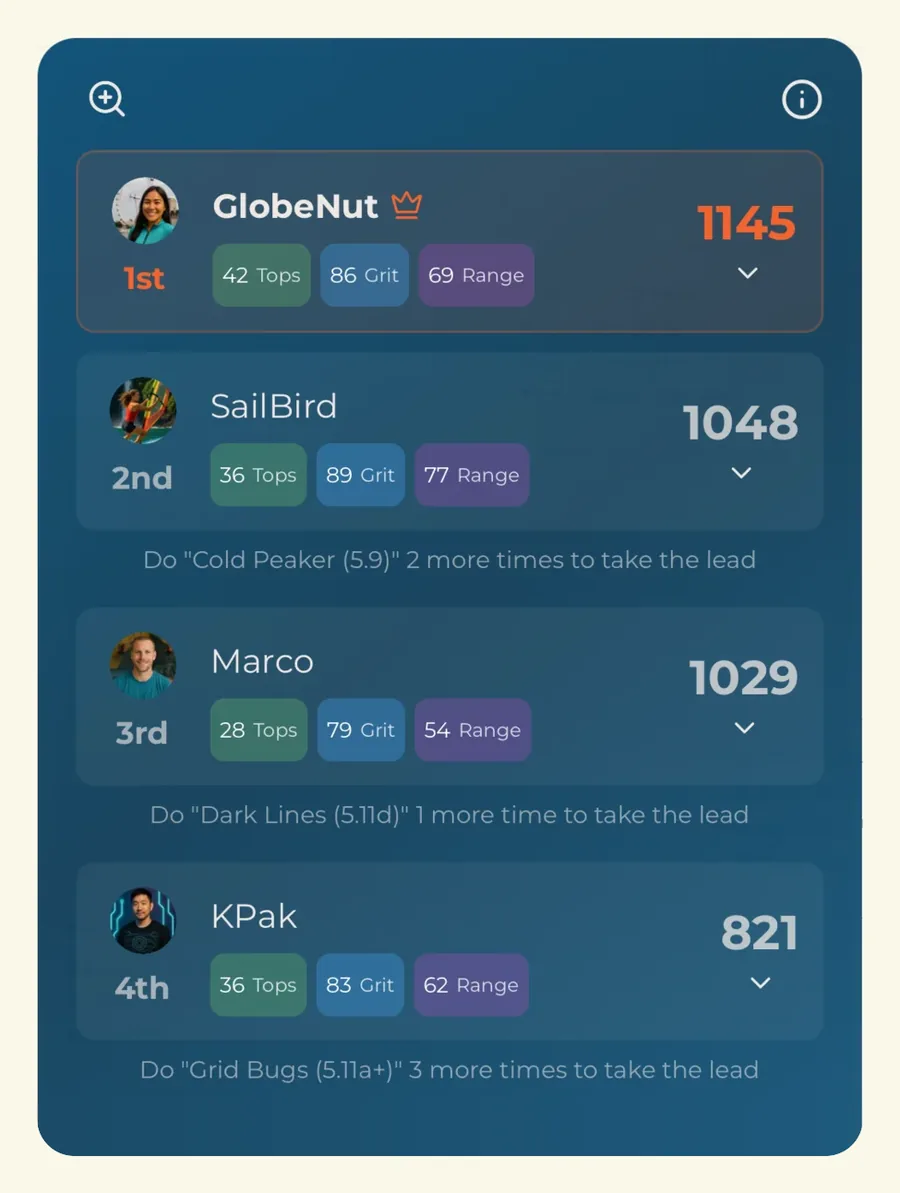
The session ends and the rankings are there. A score per climber, a crown for whoever took the night — and three separate measures underneath it, so the hardest climber isn’t automatically the only winner.
- → Tops — clean climbs, weighted by difficulty
- → Grit — time on the wall and effort spent
- → Range — volume and spread across routes
- → Guests are ranked too — they’re part of the night
Alongside it: Climb Intensity Score and Total Load for the session, time on wall against session time, your notes, any photos, and a share card you can send wherever you like.
Then it’s Tuesday again.
Different two or three people this week. Same four taps. Everything you logged last time is still building — the project attempt count went up, the wall-time grid filled in another square, your intensity trend moved.
- → Projects carry across sessions and keep counting
- → Wall-time heatmap and grade performance fill in
- → Rolling Climb Intensity Score across your history
- → Free keeps 21 days; Premium keeps all of it
That’s the whole thing.
Four taps to start, two questions per climb, and one scoreboard at the end.